Industry · November 17, 2026
Spotify Announces Artist Profile Protection for All Artists: What It Is and How to Use It
Key takeaways
What it is: Artist Profile Protection is an optional setting in Spotify for Artists that helps you control which releases appear under your name. It's now available to all artists.
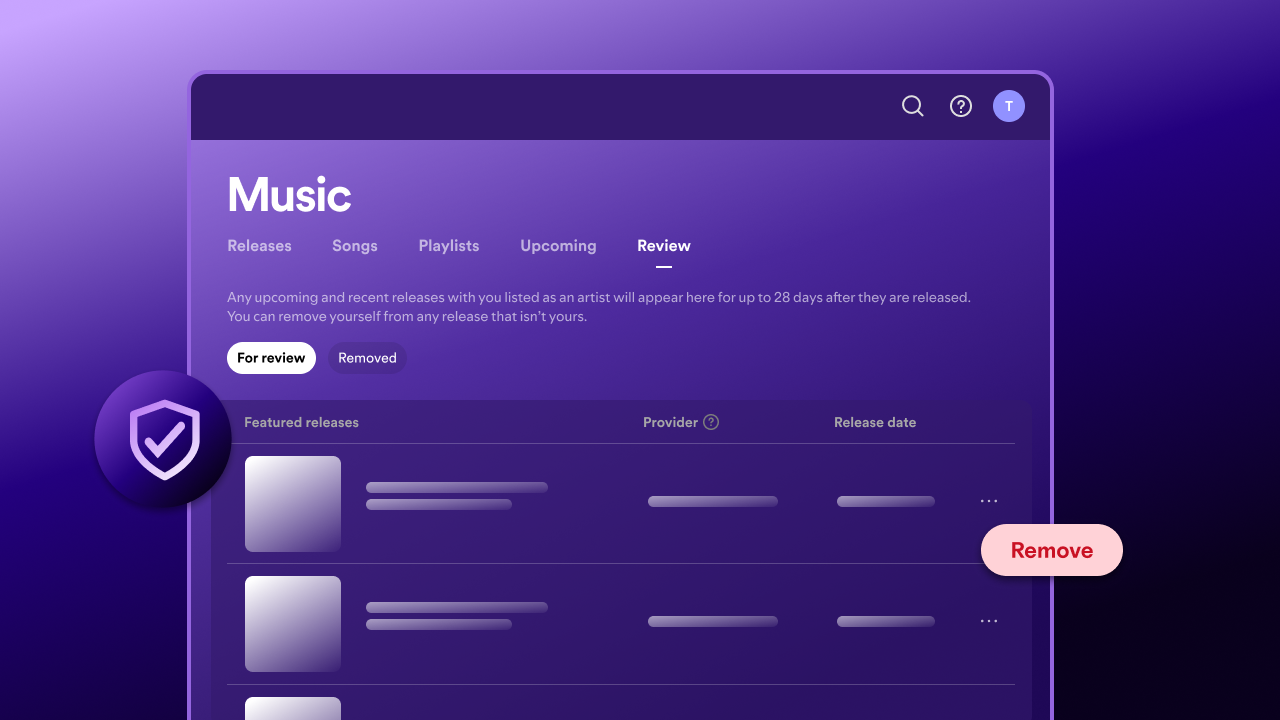
How it works: Spotify emails you when a release is delivered with your name on it. If the release isn't yours, you can remove yourself from it.
Timing: You can remove yourself before a release goes live or up to 28 days after.
Two settings: Review releases (the default) lets releases go live unless you remove yourself. Block releases holds every release until you approve it.
With Amuse: We're working on an Artist Profile Protection integration at Amuse, coming soon. You don't need to wait, you can turn it on in Spotify for Artists today.
Why does music end up on the wrong Spotify artist profile?
Music sometimes ends up on the wrong artist profile on streaming services. Amuse always sends your release information exactly as you submitted it, but stores can occasionally struggle to match a release to the correct artist profile. This often happens when two artists share the same name. There are also bad actors who deliberately release music under other artists' names. Either way, it can affect your catalog, your stats and how fans find your music, and the rise of easy-to-produce AI tracks has made the problem worse.
What is Spotify Artist Profile Protection?
Artist Profile Protection is an optional setting in Spotify for Artists that notifies you when music is delivered to your artist profile and lets you remove yourself from releases that aren't yours.
Releases you remove yourself from won't appear on your profile, count toward your stats, or show up in recommendations such as Release Radar. Spotify first launched the feature as a limited beta in March 2026, and it's now available to all artists. The goal is to give you more control over which releases appear under your name.
How does Artist Profile Protection work?
Once you turn on Artist Profile Protection, Spotify emails you whenever a release is delivered to Spotify with your name on it. You then decide whether the release is yours. If it isn't, you can remove yourself.
Artist Profile Protection covers releases that list you as a main artist, featured artist, remixer or actor, and as a composer, orchestra or conductor on classical releases.
Which Artist Profile Protection setting should I choose?
Review releases (default setting)
With Review releases, Spotify emails you whenever a release is delivered with your name on it. You can remove yourself before it goes live or up to 28 days after. If you do nothing, it goes live as normal. You don't need to do anything for your own music, which makes this the right choice for most artists.
Block releases (advanced setting)
With Block releases, a release can only go live with you listed once you approve it. Approvals can take up to 24 hours to process, so review new releases well before their release date.
This setting suits artists who have a common name or often find other people's music on their profile, and who are happy to manage their catalog actively. The trade-off is that your own releases can be delayed or blocked if you don't approve them in time.
Block releases also gives you an artist key: a unique code you can share with trusted distributors. Releases delivered with your artist key arrive pre-approved and go live without manual approval. Amuse doesn't support artist keys yet, but it's coming soon. Until then, approve your Amuse releases manually in Spotify for Artists under Music > Approvals.
How do I turn on Artist Profile Protection in Spotify for Artists?
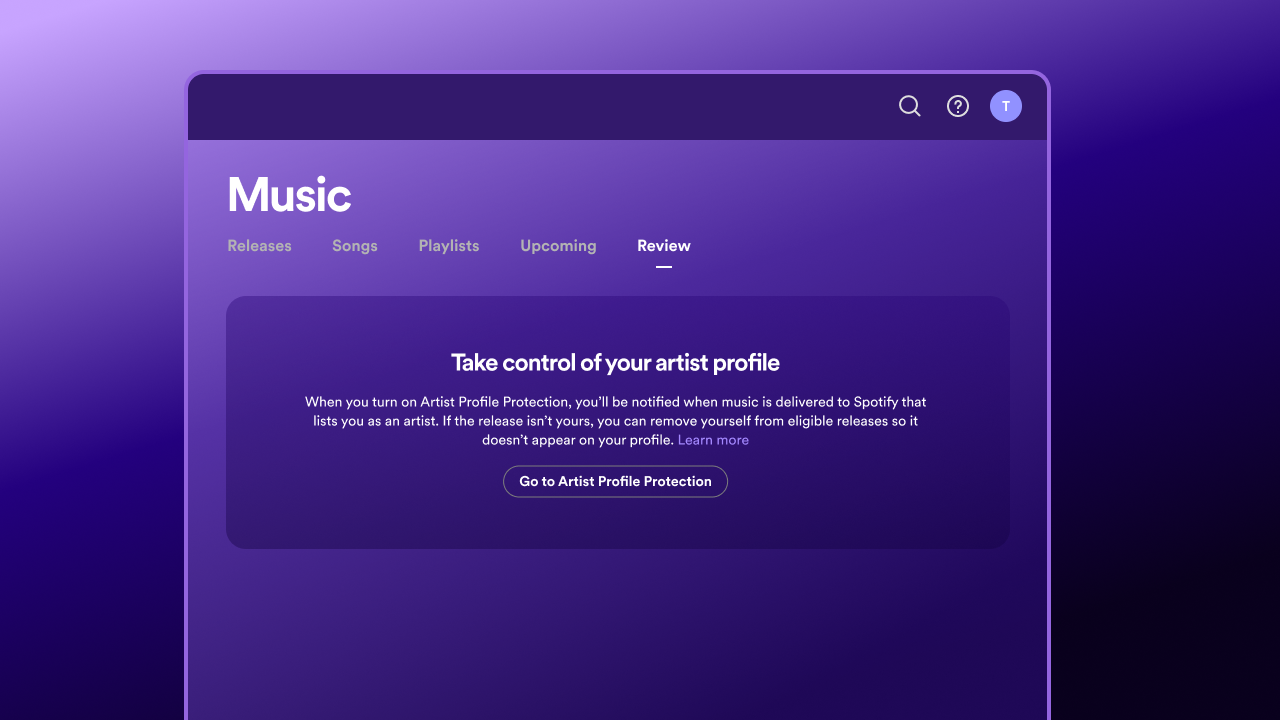
Log in to Spotify for Artists on desktop or mobile web. You need to be an Admin or Editor on the artist team.
Open the user menu from your avatar and select Artist Profile Protection.
Turn it on. Review releases is the default. Only choose Block releases under Advanced settings if you need it.
How do I remove myself from a release that isn't mine?
Watch for Spotify's email. Once Artist Profile Protection is on, Spotify emails you whenever a release is delivered with your name on it.
Open the release in Spotify for Artists. Go to Music > Review. If you use Block releases, go to Music > Approvals instead.
Check who delivered it. Look at the release details and the content provider, which is the company that delivered the release to Spotify. The provider name may not match the brand name you know. For example, it might show a company name such as "Distributor A". If you don't recognize the provider, check with your distributor before you act.
Remove yourself. Select Remove next to any release that isn't yours. With Block releases, select Decline.
Report it to Spotify if needed. If the release needs further action, report it through Spotify's music mixed up with another artist page.
Fix it on other stores. Removing yourself only applies on Spotify, so the release may still show under your name elsewhere. If you distribute with Amuse, follow our Release on the wrong artist page guide.
Good to know:
You have up to 28 days after a release goes live to remove yourself.
Don't remove yourself because of a typo, the wrong artist role, or the wrong artwork. Those are fixed by your distributor, not through Artist Profile Protection. If you distribute with Amuse, you can change your artwork yourself in the Amuse web app under Music. For other mistakes, see our guide Can I edit, take down, or delete a submitted release? or contact Amuse support.
What does Artist Profile Protection mean for my Amuse releases?
With Review releases, your Amuse releases go live as normal, and you only need to act if a release isn't yours. If you use Block releases, log in to Spotify for Artists and approve your releases under Music > Approvals so they go live on release day. We're also working on an Artist Profile Protection integration at Amuse, coming soon. You don't need to wait, though, because you can turn it on in Spotify for Artists today. If one of your releases ends up on the wrong artist profile on Spotify or any other store, follow our Release on the wrong artist page guide.
Frequently asked questions
Is Spotify Artist Profile Protection available to all artists?
Yes. It started as a limited beta in March 2026 and is now available to all artists in Spotify for Artists.
Who can turn on Artist Profile Protection?
Admins and Editors on the artist team in Spotify for Artists.
How long do I have to remove myself from a release?
Up to 28 days after the release goes live.
Does removing a release on Spotify remove it from other streaming services?
No. Artist Profile Protection only works on Spotify. If you distribute with Amuse, follow Amuse's Release on the wrong artist page guide to fix it on other stores.
What is a Spotify artist key?
A unique code, available with Block releases, that lets trusted distributors deliver pre-approved releases to your profile. Only share it with distributors you trust and never post it publicly. Amuse doesn't support artist keys yet, but it's coming soon.
What happens if I don't take any action?
With Review releases, the release goes live as scheduled with you listed. With Block releases, it won't list you as an artist and may not go live on time.
Sources
Related
September 25, 2026
What is the best music distributor to transfer your songs from one distributor to another (Comparison)
How To · May 14, 2026
How to make a music video on a budget (in 2026)

Tips · February 3, 2026
The Best Music Distribution Services in 2026
How To · January 8, 2026