How To · October 7, 2020
How to Promote Your Music With Spotify Promo Cards
By Amuse
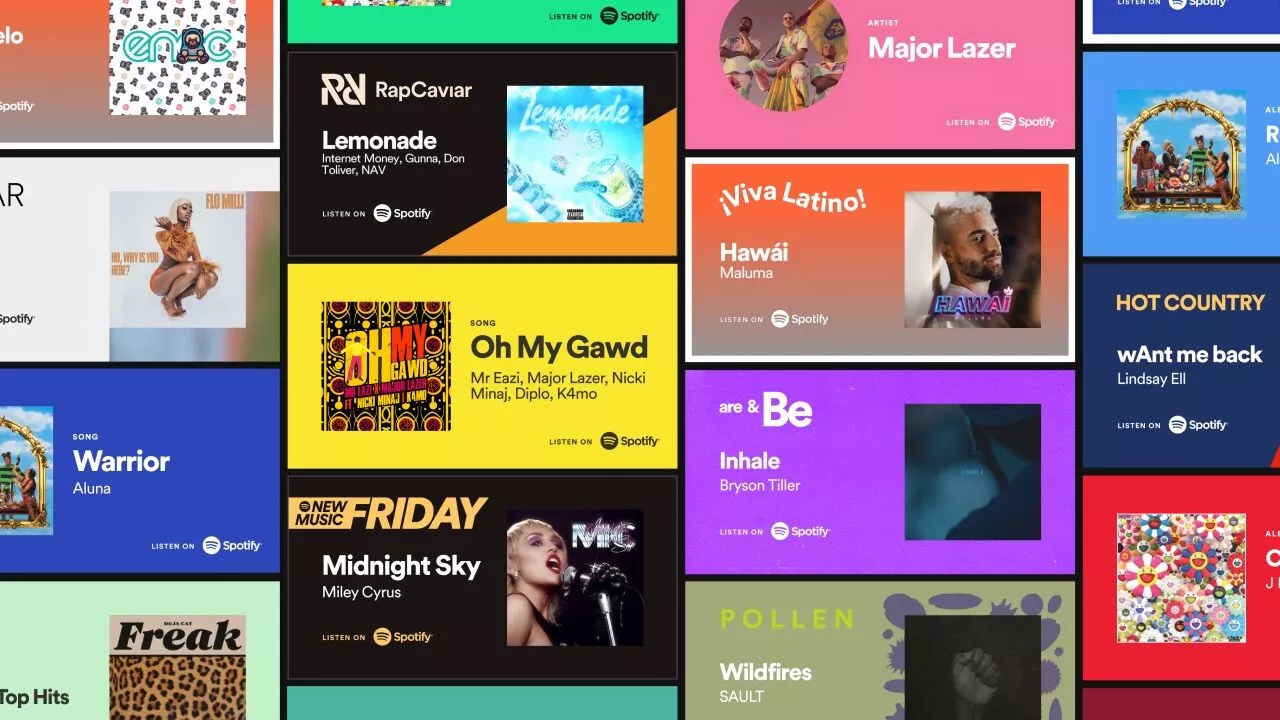
As an independent artist, there’s a lot to consider when promoting your music and making sure it gets in front of the right people. From managing social media to pitching your music to playlists, it can be a lot.
That’s why we’re super pumped that our friends at Spotify have a tool called Spotify Promo Cards; a tool that helps artists create custom assets for songs, albums, and artist profiles that can be shared on social media.
The tool offers easily customizable graphics that you can use to promote yourself, your music, or even if you’re featured on a popular playlist. Not every playlist is eligible for Promo Cards, but some of the most popular ones available include New Music Friday, Hot Hits, Rap Caviar, Top Hits, and Hot Country.
To get started just hit up the Spotify Promo Cards website, and follow these super-simple steps.
1. Select Your Content:
Search for the content you want to promote (eg. a song, an album, or your artist profile). If one of your tracks has been playlisted, you’ll see the option to share a customized Promo Card in the search results for the song.
2. Customize Your Card:
You then have the option to choose a background color and if you want your card to be square, horizontal, or portrait.
3. Share Your Card:
Once you’re finished designing your Promo Card, download your new creation and upload it to social media using your custom link. The tool also gives you the option to share your card directly with a social media account.
Related
September 25, 2026
What is the best music distributor to transfer your songs from one distributor to another (Comparison)
How To · May 14, 2026
How to make a music video on a budget (in 2026)

Tips · February 3, 2026
The Best Music Distribution Services in 2026
How To · January 8, 2026